Manly Math
Split a restaurant check fairly when some people drink and some don't.
How it works
- Count heads: how many people, how many drank, and how many were light drinkers.
- Enter the bill: the pre-tax total, the drinks part of it, and the tax. Or tap 📷 Scan receipt and let it read the check for you.
- Pick a tip. The amounts update as you type. There's no Calculate button.

No account, no app to install. Works in any phone browser.
Scan the receipt
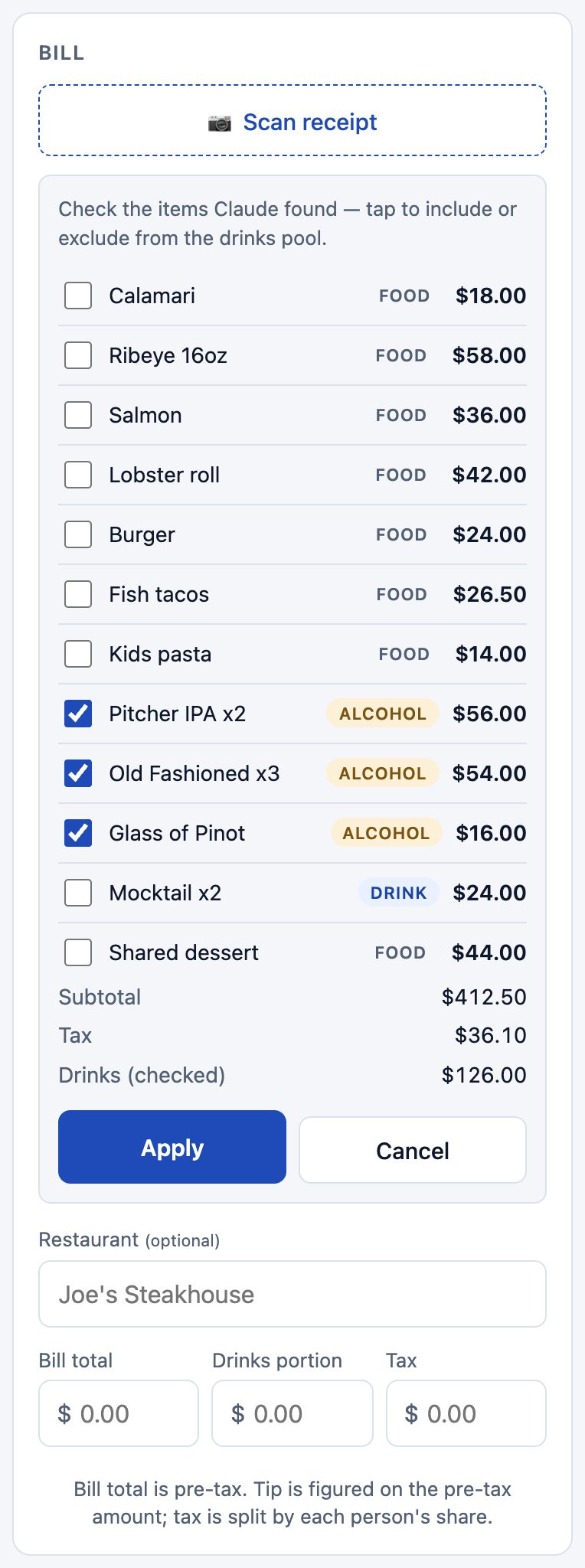
Take or pick a photo of the check. Manly Math reads the subtotal, the tax and every line item, and pre-ticks the alcohol.
- Tap any item to move it in or out of the drinks pool.
- If the numbers don't add up to the printed total, you'll get a heads-up before you apply.
- Apply fills in the bill. You can still edit anything afterwards.
- Up to 25 scans a day per phone.
See who pays what
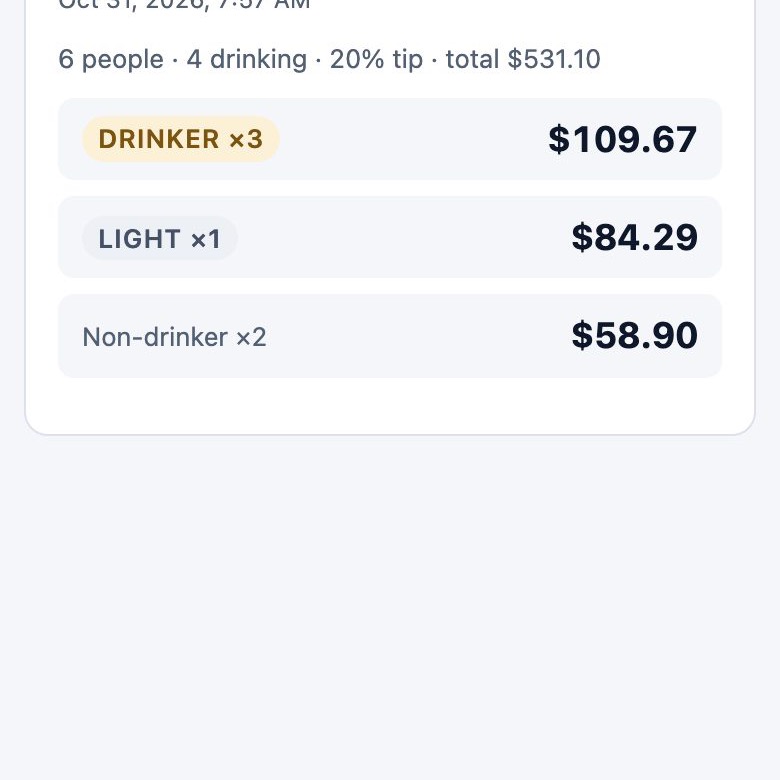
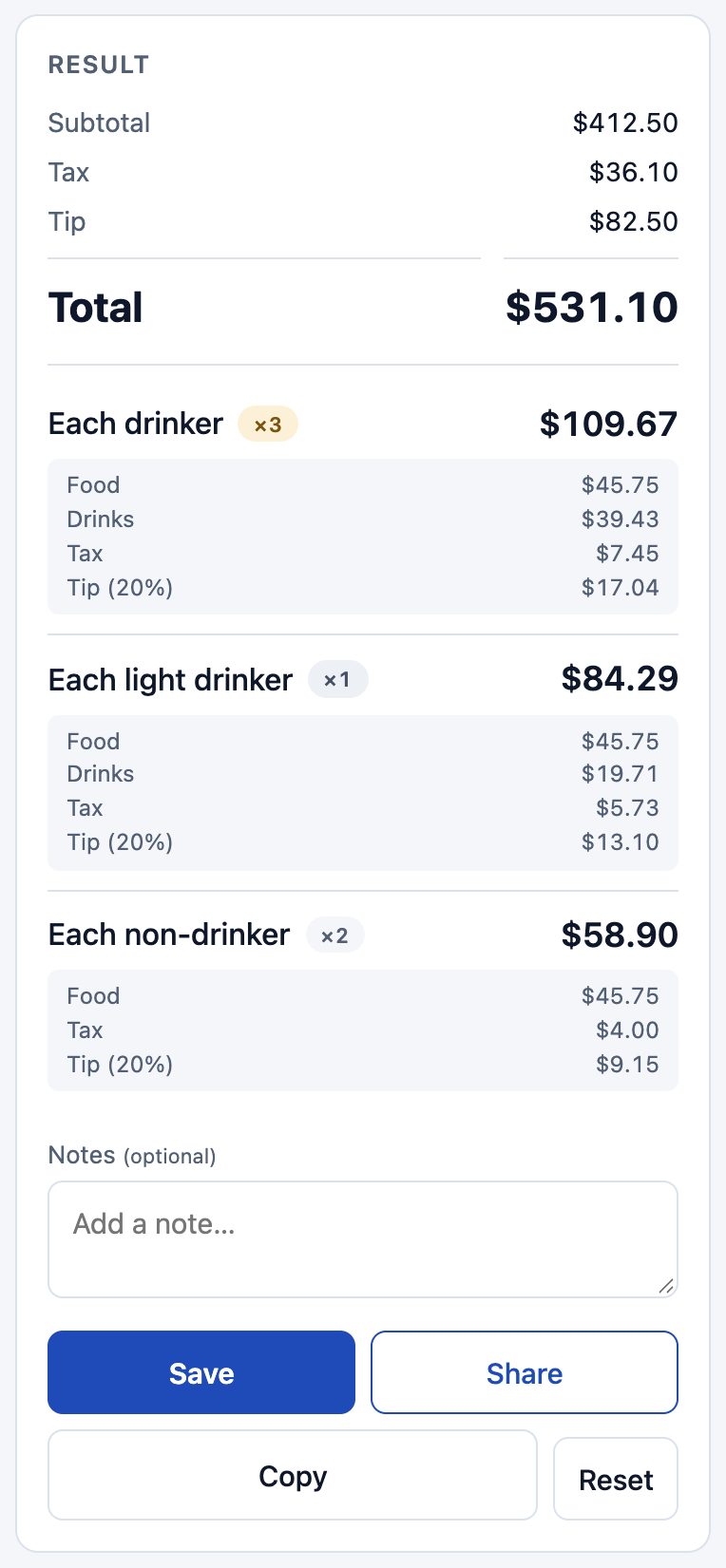
The result shows one amount per kind of person, with the food, drinks, tax and tip that make it up.
- Save keeps it in your history.
- Share sends the breakdown to the group (after saving, with a link to it).
- Copy puts the same text on your clipboard.
- Reset clears the bill for the next meal. Head counts and tip stay.
Share a link to a split
After you save, the shared text includes a link to that one split. Friends can see the breakdown but can't change or delete anything, and they don't see your notes or your other splits.